What Is Cloud Hosting?
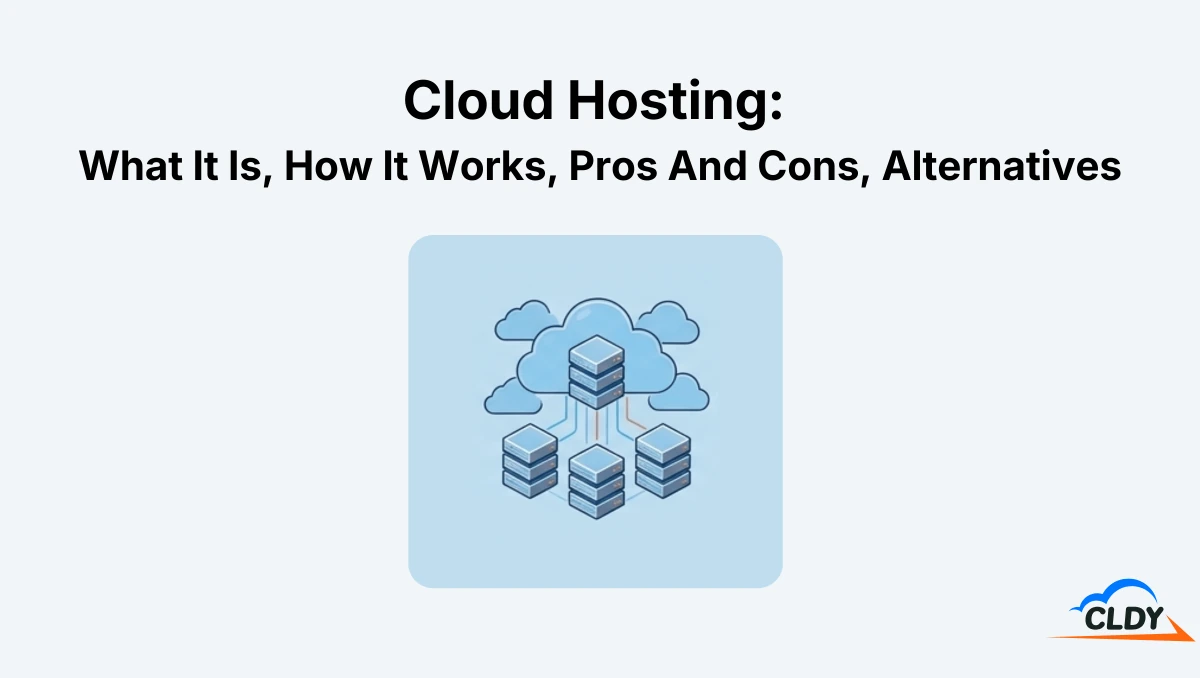
Cloud hosting is a type of web hosting service that uses cloud servers to store, manage, and deliver the files of websites and applications. A cloud server is a virtual server that runs inside a cloud computing environment and draws pooled computing resources from multiple physical servers. Cloud hosting’s unique distributed infrastructure improves uptime, scalability, and performance because resources and responsibilities are shared across several systems rather than depending on a single machine, as in traditional hosting models.
Cloud hosting is commonly offered as an Infrastructure as a Service (IaaS) solution. IaaS refers to a cloud computing model where computing resources such as servers, storage, networking, and virtualization are delivered on demand through the internet. Instead of maintaining server hardware locally at a business location, users rent cloud infrastructure from a cloud hosting provider and access those resources remotely.
Cloud hosting is commonly used by businesses, SaaS (Software as a Service) platforms, and high-traffic websites because it supports scalable workloads, growing projects, and fluctuating traffic demands.
How Does Cloud Hosting Work?
Cloud hosting works through the 7 core mechanics listed below.
- Virtualization: Virtualization is the process of dividing physical server hardware into multiple virtual servers that operate independently inside a cloud computing environment. In cloud hosting, virtualization allows websites and applications to run on cloud servers rather than being tied to one physical machine.
- Resource Pooling: Resource pooling combines CPU, RAM, storage, and bandwidth from multiple physical servers into a shared infrastructure pool. Cloud hosting uses this pooled infrastructure to assign resources to websites and applications as needed, rather than limiting them to the fixed capacity of one server.
- On-Demand Access: On-demand access lets users request or provision computing resources such as CPU, RAM, storage, and bandwidth when needed. In cloud hosting, these resources come from the shared cloud infrastructure rather than requiring a manual hardware upgrade or full server migration. This gives website owners faster access to additional capacity when traffic, storage, or application needs change.
- Dynamic Scaling: Dynamic scaling increases or decreases allocated resources according to a website’s actual demand. In cloud hosting, the hosting environment is able to adjust CPU, RAM, storage, or bandwidth during traffic spikes, seasonal demand, or changing application workloads.
- Distributed Hosting and Redundancy: Distributed hosting spreads website data and workloads across multiple cloud servers instead of relying on one physical machine. This setup also supports redundancy and failover, meaning another server in the cloud network can continue processing requests if one server experiences high demand, maintenance, or hardware issues. This supports website uptime and reliability.
- Usage-Based Pricing: Usage-based pricing allows cloud hosting plans to charge based on the resources used. Since cloud hosting allocates CPU, RAM, storage, and bandwidth from a shared resource pool, providers are able to price plans according to actual usage.
- Managed Service Options: Cloud hosting comes in a managed form for users who want cloud performance without needing to handle server administration themselves. This is a common service offering in cloud hosting since the underlying infrastructure is often more complex than traditional hosting.
What is managed cloud hosting? Managed cloud hosting is a type of cloud hosting where a third-party provider manages the technical server tasks while the user focuses on the website or application. Technical server tasks include cloud server setup, operating system updates, and security patches. Managed cloud hosting targets users who want cloud performance without the ongoing technical complexities of handling server administration themselves.
Managed cloud hosting is commonly built on major cloud infrastructure providers. This means a hosting company or managed platform runs websites on cloud servers from providers such as AWS, Linode, DigitalOcean, or Google Cloud, while adding easier management tools and support on top of the cloud infrastructure.
What Is Managed AWS Cloud Hosting?
Managed AWS cloud hosting is a type of managed cloud hosting built on AWS (Amazon Web Services) infrastructure. AWS is a leading cloud computing platform operated by Amazon. It provides one of the largest global cloud infrastructures and is commonly used for enterprise applications, SaaS platforms, e-commerce systems, and high-traffic websites. Managed AWS cloud hosting allows users to benefit from AWS's scalability, uptime, and global data center infrastructure without handling advanced server administration tasks themselves.
What Is Managed Linode Cloud Hosting?
Managed Linode cloud hosting is a type of managed cloud hosting that uses Linode cloud servers. Linode, now part of Akamai Cloud, is a cloud infrastructure provider that offers virtual private cloud servers, storage, networking, and cloud computing services. Linode is known for its developer-focused cloud hosting environments that emphasize simplicity, predictable pricing, and flexible virtual server deployment. Managed Linode cloud hosting combines Linode’s cloud infrastructure with managed hosting support services.
What Is Managed Digitalocean Cloud Hosting?
Managed DigitalOcean cloud hosting is a managed hosting service built on DigitalOcean cloud infrastructure. DigitalOcean is a cloud computing company that provides virtual cloud servers, scalable virtual machines known as Droplets, Kubernetes hosting, storage services, networking tools, and developer-focused cloud infrastructure. DigitalOcean is widely used by developers, startups, SaaS companies, small businesses, and enterprises. Managed DigitalOcean cloud hosting simplifies cloud administration even further by combining DigitalOcean’s cloud infrastructure with managed support services.
What Is Managed Google Cloud Hosting?
Managed Google Cloud hosting is a type of managed cloud hosting that uses Google Cloud infrastructure. Google Cloud Platform is a cloud computing platform operated by Google that provides infrastructure services such as cloud servers, storage, networking, artificial intelligence tools, databases, and application hosting. Google Cloud Platform is commonly referred to as GCP and powers millions of large-scale applications, enterprise systems, and global online services. Managed Google Cloud hosting combines Google Cloud’s cutting-edge infrastructure with managed hosting support.
What Are The Benefits Of Cloud Hosting?
The 6 main benefits of cloud hosting are listed below.
- On-Demand Scalability: The on-demand scalability of cloud hosting allows websites and applications to easily add or reduce computing resources based on current demand. Cloud hosting also scales CPU power, RAM, storage, and bandwidth dynamically without requiring server migration or hardware replacement. This flexibility helps websites handle traffic spikes, seasonal demand, and business growth more efficiently.
- Pay-as-You-Go Pricing: The pay-as-you-go pricing of cloud hosting charges users based on the resources they actually consume instead of fixed hardware costs. Leading cloud hosting providers use usage-based billing models where businesses pay for storage, bandwidth, processing power, or uptime usage. This reduces large upfront infrastructure expenses and stops users paying for more than they actually use.
- High Availability and Redundancy: The high availability and redundancy of cloud hosting helps maximize the uptime of hosted websites and applications. This helps businesses avoid lost sales, protects customer trust, and enables cloud hosting users to protect their online reputation.
- Faster Performance: The faster performance of cloud hosting improves loading speeds and application responsiveness. Cloud hosting providers often use load balancing, SSD storage, caching systems, and globally distributed data centers to process requests more efficiently and reduce latency for users in different locations.
- Automated Data Backups: Automated data backups helps protect website files, databases, and application data from accidental loss or server failure. Many managed cloud hosting providers automatically create scheduled backups that are restored quickly when needed. This improves disaster recovery and business continuity.
CLDY is a Singapore-based web host that offers cloud hosting plans for businesses seeking the benefits of flexible resources, reliable performance, and managed cloud infrastructure. CLDY’s cloud hosting plans suit websites that need scalable server resources, excellent uptime, and a hosting environment that adapts as demand grows.
What Are The Limitations Of Cloud Hosting?
The 5 main limitations of cloud hosting are listed below.
- Recurring and Unpredictable Costs: Cloud hosting often uses recurring or usage-based pricing, which means costs increase when websites use more bandwidth, storage, CPU, RAM, backups, snapshots, or add-on services. This flexibility is useful, but it also makes cloud hosting expenses harder to predict without proper monitoring, especially during traffic spikes or business growth.
- Dependence on Provider Network and Connectivity: Cloud hosting reduces the risk of downtime from a single server failure, but it still depends on the provider’s wider cloud infrastructure. Websites and applications may become slow or unavailable if the provider experiences a network outage, DNS issue, routing problem, data center disruption, or regional service failure.
- Security, Privacy, and Compliance Complexity: Security, privacy, and compliance become more complex because cloud hosting distributes data, backups, and workloads across multiple servers or regions. Businesses handling sensitive data need to review the provider’s data location policies, encryption standards, access controls, and compliance certifications.
- Potential Vendor Lock-In: Vendor lock-in occurs when websites, applications, or workflows become heavily dependent on one cloud provider’s infrastructure, tools, or configurations. Moving to another hosting provider becomes more difficult if the setup uses proprietary services, custom integrations, or provider-specific management tools.
- Limited Control Over Physical Hardware: Limited control over physical hardware means users do not directly manage the underlying servers, networking equipment, or data center infrastructure. The cloud provider controls hardware maintenance, infrastructure upgrades, and physical security, which limits customization for businesses that need specific hardware configurations.
What Are The Cloud Hosting Alternatives?
Cloud hosting alternatives refer to web hosting services that support similar website needs using fixed or shared server environments, instead of a distributed network of cloud servers. The 2 main cloud hosting alternatives are Virtual Private Server (VPS) hosting and shared hosting.
VPS hosting is a type of hosting that provides fixed CPU, RAM, storage, bandwidth, and server access within one virtual private server, making it a strong alternative for websites with steady and predictable traffic. Shared hosting is a type of hosting that provides fully managed hosting on a shared server with a user-friendly control panel, making it a simple alternative for users who have basic and predictable resource needs.
Cloud Hosting Vs Shared Hosting
The key difference between cloud hosting and shared hosting is the technical knowledge required. Technical knowledge here refers to the level of server administration, configuration, security setup, and hosting control needed to run and maintain your website. Cloud hosting often requires more technical knowledge from the user around server configuration, maintenance and scaling. Opting for managed cloud hosting services helps reduce this complexity. Shared hosting requires less technical knowledge by default because it comes fully managed and with beginner-friendly tools. Use cloud hosting if your website needs flexible infrastructure and you have the technical knowledge to manage and configure it, or are willing to pay for managed services. Use shared hosting if you’re a small to medium website needing simple and convenient hosting.
Cloud Hosting Vs VPS Hosting
The key difference between cloud hosting and VPS hosting is traffic handling. Traffic handling of cloud hosting and VPS hosting refers to how each hosting type manages website visitors, server requests, bandwidth demand, and workload changes during normal traffic periods or sudden traffic spikes. Cloud hosting handles traffic through a distributed server infrastructure that scales resources across multiple cloud servers when demand increases. VPS hosting handles traffic through a fixed allocation of server resources inside one virtual private server. Use cloud hosting if your website needs flexible resources that adjust quickly during sudden increases in traffic from seasonal surges, viral content, or fast business growth. Use VPS hosting if your website experiences consistent traffic levels and needs predictable high performance at a fixed hosting cost.
Cloud Hosting Vs Dedicated Hosting
The key difference between cloud hosting and dedicated hosting is their server architecture. Server architecture refers to the way hosting resources are structured, allocated, and delivered through physical servers, virtual servers, or connected infrastructure. Cloud hosting uses virtual servers that draw CPU, RAM, storage, and bandwidth from a network instead of relying on one physical machine. Dedicated hosting uses physical servers assigned to customers, giving them exclusive access to the servers’ CPU, RAM, storage, and network capacity. Use cloud hosting if your website experiences fluctuating traffic and requires dynamic scaling. Use dedicated hosting if your website needs isolated physical infrastructure with consistent access to the full resources of one server.
Cloud Hosting Vs WordPress Hosting
The key difference between cloud hosting and WordPress hosting is their specialization. Specialization refers to the specific type of website, platform, or hosting environment that a hosting service is built to support. Cloud hosting supports many types of websites through scalable cloud infrastructure, making it suitable for custom SaaS platforms, e-commerce stores, and growing websites with changing resource needs. WordPress hosting is built specifically for WordPress sites, with hosting features such as preinstalled WordPress software, automatic updates, WordPress caching, plugin support, and specialized security tools. Use cloud hosting if your website needs a flexible infrastructure that is not limited to one content management system. Use WordPress hosting if your website runs on WordPress and needs a hosting environment built around easier setup, simpler maintenance, and better WordPress performance.
Cloud Hosting FAQs
Frequently asked questions (FAQs) about cloud hosting include how cloud hosting differs from cloud computing, traditional web hosting, and cloud-native infrastructure. Cloud computing refers to the broader delivery of computing services such as storage, networking, databases, and software through the internet. Traditional web hosting refers to hosting environments that commonly rely on a single physical server or fixed server infrastructure. Cloud-native infrastructure refers to applications and systems specifically designed to operate within distributed cloud environments.
What Is The Difference Between Cloud Hosting And Cloud Computing?
The key difference between cloud hosting and cloud computing is purpose. Purpose here refers to the primary function or role of a cloud technology within a computing environment.
Cloud hosting’s purpose focuses on hosting websites, applications, and online services through a network of cloud servers. Its main purpose is to provide scalable hosting infrastructure, computing resources, uptime reliability, and website accessibility through cloud-based server environments.
Cloud computing is a broader technology model that delivers computing services over the internet for a variety of purposes. These services include cloud hosting, cloud storage, databases, software platforms, networking, analytics, artificial intelligence tools, and virtual computing resources. Cloud hosting is one category within cloud computing, while cloud computing itself covers many different internet-based computing services beyond website hosting.
What Is The Difference Between Cloud Hosting And Traditional Web Hosting?
The key difference between cloud hosting and traditional web hosting is infrastructure architecture. Infrastructure architecture refers to how server resources and hosting systems are structured to deliver websites and applications online.
Cloud hosting uses a distributed infrastructure architecture built from multiple interconnected cloud servers that pool resources. Traditional web hosting commonly uses a single-server architecture where websites operate from one physical server or one isolated hosting environment. Shared hosting, VPS hosting, and many dedicated hosting environments are considered traditional hosting models as they primarily rely on fixed server infrastructure. Resource scalability and redundancy are usually more limited compared to cloud hosting environments.
What Is The Difference Between Cloud-Native And Cloud-Hosted?
The key difference between cloud-native and cloud-hosted is website architecture. Website architecture refers to how a website is built, structured, deployed, and scaled within its hosting environment.
Cloud-hosted websites are traditional websites hosted on cloud infrastructure. A cloud-hosted website may use WordPress, cPanel, a standard CMS, or a conventional files-and-database setup, then run on a cloud server instead of a single owned physical server. These websites benefit from cloud hosting, but they are not necessarily built to use advanced cloud-native architecture. Cloud-native websites are built specifically for cloud environments from the beginning. They use containers, APIs, distributed databases, serverless functions, automated deployment, and horizontal scaling. This allows different parts of the website or application to scale, recover, and operate more independently.