What Is Plesk In Web Hosting?
Web hosting is the internet service that provides the server space, computing resources, and internet connectivity so a website is able to be stored and accessed online. Plesk in web hosting refers to a popular control panel developed by Dimitri Simonenko in 2001 that is used to easily manage web hosting accounts. Such web hosting control panels act as the central management system for hosting accounts and are widely used by individual website owners, developers, agencies, IT administrators, and hosting providers. Plesk allows such users to deploy and manage websites, email services, databases, and security settings from one interface without needing knowledge of code. Plesk is compatible with both Linux and Windows servers which makes it suitable for a broad range of hosting use cases.
What Is Plesk Web Hosting?
Plesk web hosting is a type of web hosting service that supports or provides Plesk as the main control panel for managing a website and its hosting. When a hosting provider offers Plesk web hosting, it means customers access their server environment through Plesk’s interface. Plesk web hosting plans typically include the Plesk license in the hosting price although this varies by provider.
How Does Plesk Work In Web Hosting?
Plesk in web hosting works by connecting a browser-based control panel to the server tools needed to manage websites, domains, email, databases, files, security settings, and installed applications. This works as an intermediary layer and helps streamline daily operations. Plesk organizes these functions into dashboard menus and automation tools that send the requested changes to the server, instead of requiring users to manage every hosting task through command-line instructions.
Plesk works with both Linux and Windows servers, which makes it useful for most use cases, and those who need flexibility in their choice of server operating system, web stacks, and application requirements. On Linux servers, Plesk is commonly used to manage PHP-based websites, WordPress installations, databases, mail services, and security tools. On Windows servers, Plesk supports hosting needs tied to Microsoft-based technologies, including websites and applications that require Windows server infrastructure.
This setup allows hosting users, developers, agencies, and server administrators to manage routine website and server tasks from one interface while the underlying server continues to handle storage, processing, network requests, and application delivery.
How Is Plesk Used In Web Hosting?
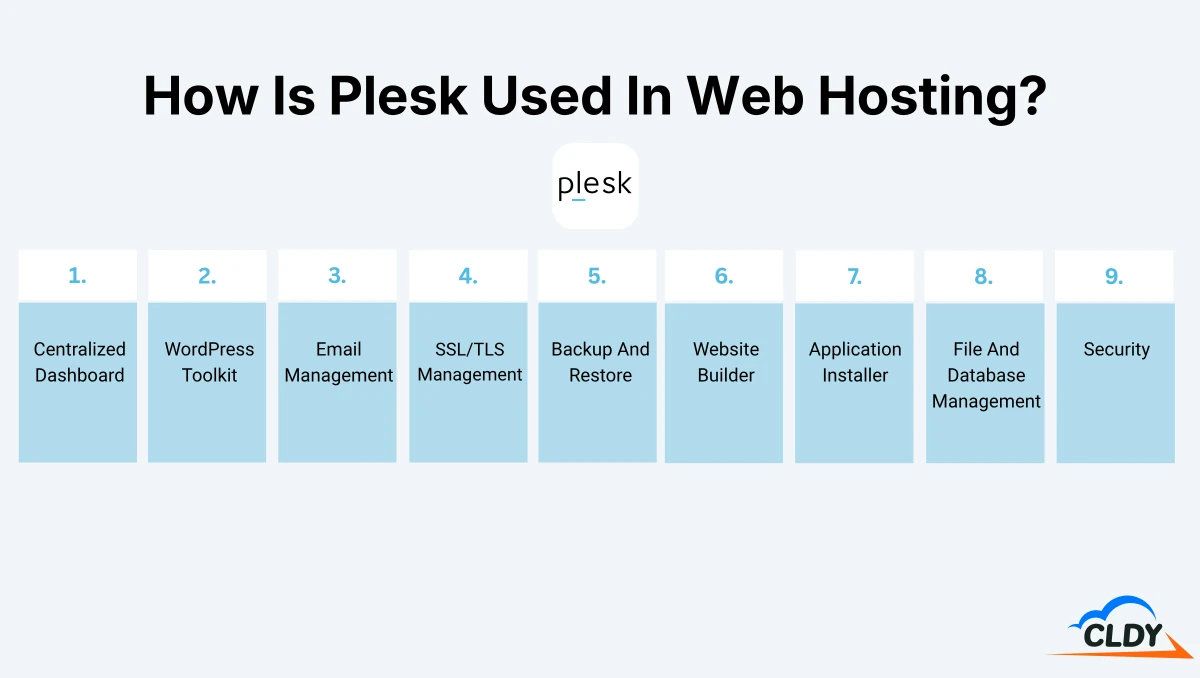
Plesk is used in web hosting to manage hosting accounts from a single dashboard. Each feature in Plesk is designed to turn a specific hosting task into a visual tool that users access through the Plesk dashboard.
The 9 main features of Plesk used in web hosting are listed below.
- Centralized Dashboard
- WordPress Toolkit
- Email Management
- SSL/TLS Management
- Backup And Restore
- Website Builder
- Application Installer
- File And Database Management
- Security
Centralized Dashboard
The centralized dashboard in Plesk brings website, domain, email, file, database, security, and account tools into one convenient browser-based control area. The 4 main uses of the centralized dashboard in Plesk are listed below.
- Website Management: Website management in Plesk lets users access site files, hosting settings, databases, SSL/TLS tools, applications, and WordPress controls from one area.
- Domain Management: Domain management in Plesk lets users add domains, create subdomains, manage DNS settings, and connect domain names to hosted websites.
- Account Management: Account management in Plesk lets users manage hosting subscriptions, user access, permissions, and service limits from the control panel.
- Server Status Review: Server status review in Plesk lets administrators check server health, resource usage, updates, and system alerts without switching between separate server tools.
Website management is the most commonly used function in Plesk’s centralized dashboard.
WordPress Toolkit
WordPress toolkit in Plesk lets users install, configure, secure, update, clone, and manage WordPress websites from one interface. The 5 main uses of Plesk’s WordPress toolkit are listed below.
- WordPress Installation: WordPress installation in Plesk lets users create a new WordPress website without manually uploading WordPress files or configuring the database separately.
- Update Management: Update management in Plesk lets users update WordPress core files, themes, and plugins from the WordPress Toolkit interface.
- Security Hardening: Security hardening in Plesk lets users apply recommended WordPress security measures, such as protecting important files and reducing common WordPress risks.
- Staging And Cloning: Staging and cloning in Plesk lets users copy a WordPress site for testing, development, redesigns, or safe changes before applying updates to the live website.
- Backup And Restore: Backup and restore in Plesk lets users save a WordPress site version and recover it when an update, plugin change, or website error causes a problem.
WordPress installation is most commonly used in Plesk’s WordPress toolkit.
Email Management
Email management in Plesk lets users create, configure, route, and protect email accounts that are connected to hosted domains. The 5 main uses of Plesk’s email management are listed below.
- Mailbox Creation: Mailbox creation in Plesk lets users create domain-based email addresses for website owners, teams, and business departments.
- Email Forwarding: Email forwarding in Plesk sends messages from one email address to another address so that users receive mail in a preferred inbox.
- Auto-Replies: Auto-replies in Plesk send automatic responses for a mailbox, such as vacation replies, support notices, and temporary availability messages.
- Spam Filtering: Spam filtering in Plesk helps detect and reduce unwanted emails before they reach a user’s mailbox.
- Email Account Settings: Email account settings in Plesk let users manage mailbox passwords, storage limits, access details, and mail service options.
Mailbox creation is the most used email management function in Plesk.
SSL/TLS Management
SSL (Secure Sockets Layer) and TLS (Transport Layer Security) management in Plesk lets users install, configure, renew, and assign SSL/TLS certificates for websites, domains, webmail, and server services. The 5 main uses of Plesk’s SSL/TLS management are listed below.
- Certificate Installation: Certificate installation in Plesk lets users add an SSL/TLS certificate to a domain so the website loads through HTTPS.
- Let’s Encrypt Setup: Let’s Encrypt setup in Plesk lets users issue free SSL/TLS certificates for domains, subdomains, domain aliases, and webmail.
- Certificate Renewal: Certificate renewal in Plesk helps keep SSL/TLS certificates active before they expire and cause browser security warnings.
- Domain Certificate Assignment: Domain certificate assignment in Plesk lets users choose which certificate protects each hosted domain or service.
- Mail Server Protection: Mail server protection in Plesk lets administrators secure mail-related connections with SSL/TLS certificates.
Certificate installation is the most used SSL/TLS management function in Plesk.
Backup And Restore
Backup and restore in Plesk lets users create saved copies of hosting data and recover that data when files, databases, settings, or websites need to be restored. The 5 main uses of Plesk’s backup and restore are listed below.
- Full Backup: Full backup in Plesk saves a complete copy of hosting data, including website files, databases, mail, DNS settings, and configuration data.
- Website File Backup: Website file backup in Plesk saves site files to let users recover pages, media, scripts, and other website content.
- Database Backup: Database backup in Plesk saves database content used by websites, content management systems, and web applications.
- Scheduled Backup: Scheduled backup in Plesk lets users create automatic backups at selected intervals to reduce manual backup work.
- Selective Restore: Selective restore in Plesk lets users recover specific items, such as a website, database, DNS zone, or SSL/TLS certificate, without restoring the full server backup.
Full backup is the most used backup and restore function in Plesk.
Website Builder
Website builder in Plesk lets users create and edit website pages with visual design tools instead of writing code manually. The 4 main uses of the website builder are listed below.
- Page Creation: Page creation in Plesk lets users build website pages with visual layouts, sections, text, images, buttons, and other page elements.
- Template Selection: Template selection in Plesk lets users start a website from a prebuilt design instead of creating every page structure from scratch.
- Content Editing: Content editing in Plesk lets users update page text, images, icons, website names, keywords, and other site details from the builder interface.
- Design Customization: Design customization in Plesk lets users adjust the look and structure of a website to match the website’s purpose, brand, or content needs.
Page creation is the most used website builder function in Plesk.
Application Installer
Application installer in Plesk lets users add web applications to hosted websites without manually downloading, uploading, and configuring every application file. The 4 main uses of Plesk’s application installer are listed below.
- Application Installation: Application installation in Plesk lets users install supported web applications from the application catalog onto a selected website.
- Application Catalog Access: Application catalog access in Plesk lets users view available applications installed on hosted websites.
- Application Updates: Application updates in Plesk let users keep installed applications current when supported updates are available through the control panel.
- Application Removal: Application removal in Plesk lets users uninstall applications that are no longer needed on a website.
Application installation is the most used application installer function.
File And Database Management
File and database management in Plesk lets users manage website files, folders, databases, database users, and database backups from the hosting control panel. The 5 main uses of Plesk’s file and database management are listed below.
- File Upload: File upload in Plesk lets users add website files, images, scripts, and other content to a hosted website.
- File Editing: File editing in Plesk lets users open and change website files directly from the control panel.
- Folder Organization: Folder organization in Plesk lets users arrange website files into directories so the site structure stays clear and manageable.
- Database Creation: Database creation in Plesk lets users create databases for websites, content management systems, and web applications.
- Database Import And Export: Database import and export in Plesk lets users move, copy, save, or restore database content through database dump files.
File upload is the most used file and database management function in Plesk.
Security
Security in Plesk lets users protect websites, hosting accounts, server access, and hosted services through built-in security tools and supported extensions. The 5 main uses of Plesk’s security tools are listed below.
- Firewall Protection: Firewall protection in Plesk lets administrators control which network connections are allowed or blocked on the server.
- Brute-Force Protection: Brute-force protection in Plesk uses Fail2Ban to monitor repeated failed login attempts and block suspicious IP addresses.
- Web Application Firewall: Web Application Firewall in Plesk uses ModSecurity to help detect and block harmful web requests before they reach hosted applications.
- Password Policy Management: Password policy management in Plesk lets administrators require stronger passwords for users and hosting accounts.
- Security Updates: Security updates in Plesk help keep the control panel, server components, and related tools patched against known issues.
Firewall protection is the most used security function in Plesk.
What Is The Plesk Pricing?
Plesk pricing refers to the licensing costs required to run Plesk on a VPS or dedicated server. Plesk pricing depends on the Plesk edition and is charged on a monthly or annual basis. Each Plesk edition determines the specific set of features, user interface views, and the maximum number of domains you are allowed to manage on a single server.
The 3 editions of Plesk pricing are Web Admin Edition, Web Pro Edition and Web Host Edition. Web Admin Edition is for basic website and server administration with up to 10 domains. The regular monthly price of Web Admin Edition is $16.99 on a dedicated server or VPS server. Web Pro Edition is for developers and designers managing up to 30 domains. The regular monthly price of Web Pro Edition is $29.99 on a dedicated server or VPS server. Web Host Edition is for hosting businesses and users who need unlimited domains, reseller management, and broader hosting account control. The regular monthly price of Web Host Edition is $69.99 on a dedicated server and $62.99 on a VPS server. Plesk pricing remains consistent across Plesk versions (Plesk Onyx and Plesk Obsidian).
What Is The Plesk Alternative In Web Hosting?
A Plesk alternative in web hosting refers to a different control panel software used to manage a web hosting environment. A Plesk alternative performs the same core function of providing a graphical interface to control server settings, website files, databases, and security tools, but typically differs from Plesk in design, supported operating systems, pricing structure, and feature set.
cPanel is the main Plesk alternative in web hosting. cPanel is a Linux-based web hosting control panel that also lets users manage websites, domains, email accounts, files, databases, SSL/TLS certificates, backups, applications, and security tools through a browser-based dashboard. The main difference between Plesk and cPanel is operating system compatibility. Plesk supports both Linux and Windows server environments while cPanel is mainly used for Linux-based hosting.
Plesk FAQs
Frequently asked questions (FAQs) about Plesk include its fee structure and deciding between Plesk and cPanel. Fee structure refers to the price of using Plesk software as a customer. Comparing Plesk and cPanel means assessing each control panel’s strengths against your hosting needs.
Is Plesk Free?
No, Plesk is not free. Plesk is a paid web hosting control panel that requires a commercial license for regular use on a VPS or dedicated server. Plesk offers a free 14-day trial for testing, but users need a paid license after this trial period ends. Certain Plesk web hosting providers include Plesk in their hosting plans, but the license cost is built into the hosting price instead of being separate for the customer.
How Do I Choose Between Using Plesk And cPanel?
Choose between Plesk and cPanel by understanding your preferred server OS and which control panel your preferred web hosting provider offers. Plesk is a better choice for users who need Windows server support or flexibility across Linux and Windows hosting. cPanel is a better choice for users using Linux-based hosting who want a widely available and familiar control panel. Note that hosting plans with free cPanel access are typically more widely available than a web hosting plan with included Plesk access. This makes cPanel a practical choice for users who want a familiar dashboard without buying a separate control panel license.